REST/RPC
The REST/RPC (RPC over REST) API allows the creation of client-side remote proxy interfaces for calling methods on server-side POJOs using entirely REST.
This is not to be confused with REST Proxies which are entirely client-side driven Java interfaces against arbitrary backend REST interfaces.
Remote Interfaces
The following example shows a remote interface built on the petstore sample's real Pet bean and PetStore service
(juneau-petstore). (The petstore samples don't currently expose a remote interface via RRPC; this walkthrough builds
one on top of those currently-shipping petstore types purely to illustrate the RRPC mechanism.)
@RemoteInterface // Annotation is optional
public interface IPetStore {

    Collection<Pet> getPets();

    Pet getPet(long id);

    Pet createPet(Pet pet);

    Pet updatePet(Pet pet);

    void deletePet(long id);
}
The requirements for a remote interface method are:
- Must be public.
- Can be called anything.
- Can have any number of serializable and parsable parameters.
- Can return a serializable and parsable value.
- Can throw any
Throwables.
Throwables with public no-arg or single-arg-string constructors are automatically recreated on the client side when thrown on the server side.
Client side
REST/RPC is a classic-client-only feature. It is implemented on
org.apache.juneau.rest.client.classic.RestClient
(the Apache HttpClient 4.5-based client); the next-generation, transport-agnostic
NG REST client (org.apache.juneau.rest.client.RestClient) has no
getRrpcInterface(...) method and no equivalent. If you're building against the NG client, use standard
REST calls with the server-side @RestOp(method=RRPC)/RrpcServlet endpoints instead of a generated proxy.
Remote Interface proxies are instantiated on the client side using one of the following methods:
Since we build upon the existing classic RestClient API, we inherit all of it's features.
For example, convenience methods for setting POJO filters and properties to customize the behavior of the serializers
and parsers, and the ability to provide your own customized Apache HttpClient for handling various scenarios involving
authentication and Internet proxies.
Here's an example of the above interface being used:
import org.apache.juneau.rest.client.classic.RestClient;

// Create a classic RestClient using JSON for serialization, and point to the server-side remote interface servlet.
RestClient client = RestClient.create()
    .json()
    .rootUrl("http://localhost:10000/remote")
    .build();

// Create a proxy interface.
IPetStore petStore = client.getRrpcInterface(IPetStore.class);

// Invoke a method on the server side and get the returned result.
Pet pet = petStore.createPet(
    new Pet()
        .setName("Fluffy")
        .setSpecies(Species.CAT)
        .setPrice(200f)
        .setStatus(PetStatus.AVAILABLE)
);
Under the covers, this method call gets converted to a REST POST.
HTTP POST http://localhost:10000/remote/IPetStore/createPet(org.apache.juneau.petstore.dto.Pet)
Accept: application/json
Content-Type: application/json

[
    {
        "name":"Fluffy",
        "species":"CAT",
        "price":200.0,
        "status":"AVAILABLE"
    }
]
Note that the body of the request is an array. This array contains the serialized arguments of the method. The object returned by the method is then serialized as the body of the response.
Server side
There are two ways to expose remote interfaces on the server side:
- Extending from RrpcServlet.
- Using a @RestOp(method=RRPC) annotation on a Java method.
In either case, the proxy communications layer is pure REST. Therefore, in cases where the interface classes are not available on the client side, the same method calls can be made through pure REST calls. This can also aid significantly in debugging, since calls to the remote interface service can be made directly from a browser with no coding involved.
RrpcServlet
The RrpcServlet class is a simple specialized servlet
with an abstract getServiceMap() method to define the server-side POJOs.
Note that getServiceMap() maps each interface Class to a POJO instance that implements it — since the petstore's real
PetStore service doesn't itself
implement IPetStore, a small anonymous adapter delegates each IPetStore method to the underlying store:
@Rest(
    path="/remote"
)
public class SamplePetStoreRrpcServlet extends RrpcServlet {

    // Our server-side POJO.
    private final transient PetStore store = new PetStore();

    @Override /* RrpcServlet */
    protected Map<Class<?>,Object> getServiceMap() throws Exception {
        Map<Class<?>,Object> map = new LinkedHashMap<>();

        // In this simplified example, we expose the same underlying store under two different interfaces.
        // One is IPetStore which only exposes methods defined on that interface, and
        // the other is PetStore itself which exposes all public methods defined on the class itself (dangerous!).
        map.put(IPetStore.class, new IPetStore() {
            @Override public Collection<Pet> getPets() { return store.getPets(); }
            @Override public Pet getPet(long id) { return store.getPet(id); }
            @Override public Pet createPet(Pet pet) { return store.createPet(pet); }
            @Override public Pet updatePet(Pet pet) { return store.updatePet(pet); }
            @Override public void deletePet(long id) { store.deletePet(id); }
        });
        map.put(PetStore.class, store);
        return map;
    }
}
@RestOp(method=RRPC)
The @RestOp(method=RRPC) approach is easier if you only have a single interface you want to expose. You simply define a Java method whose return type is an interface, and return the implementation of that interface:
// Our exposed interface.
@RestOp(method=RRPC, path="/petstoreproxy/*")
public IPetStore getProxy() {
    return new IPetStore() {
        @Override public Collection<Pet> getPets() { return store.getPets(); }
        @Override public Pet getPet(long id) { return store.getPet(id); }
        @Override public Pet createPet(Pet pet) { return store.createPet(pet); }
        @Override public Pet updatePet(Pet pet) { return store.updatePet(pet); }
        @Override public void deletePet(long id) { store.deletePet(id); }
    };
}
RrpcServlet in a browser
If you point your browser to the servlet above, you get a list of available interfaces:
http://localhost:10000/remote
Clicking the hyperlinks on each shows you the list of methods that can be invoked on that service.
Note that the IPetStore link shows that you can only invoke methods defined on that interface, whereas the
PetStore link shows ALL public methods defined on that class.
IPetStore
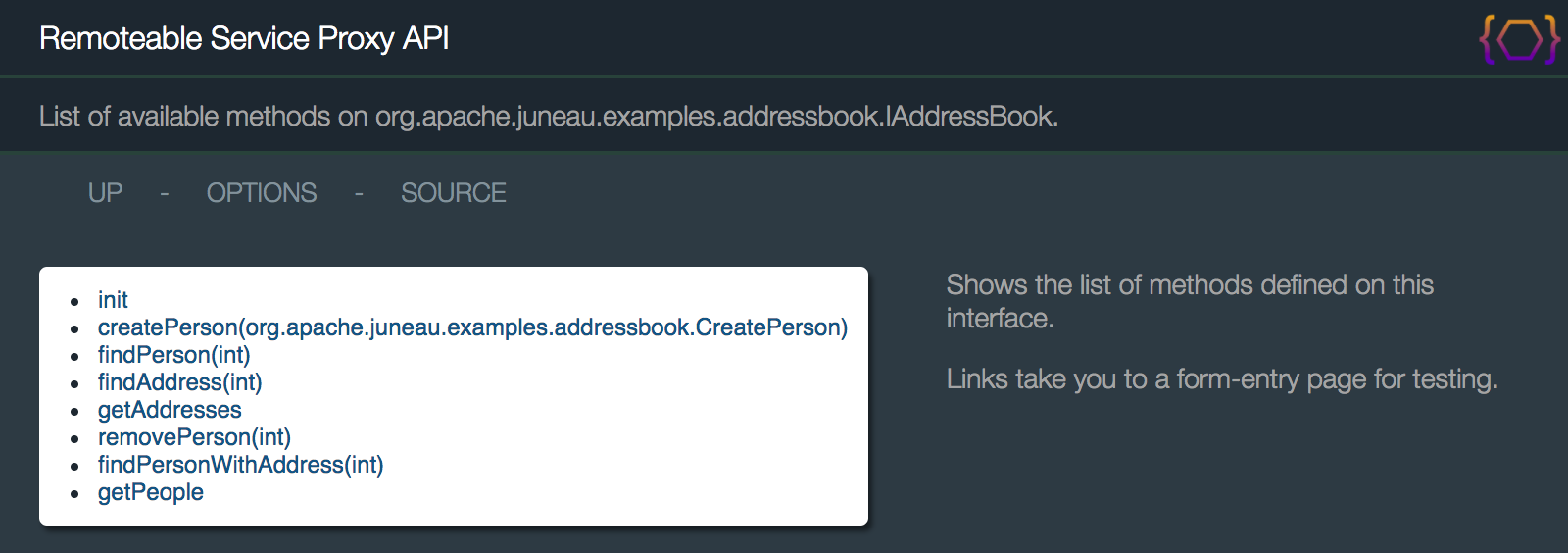
http://localhost:10000/remote/IPetStore
Only the five methods declared on the IPetStore interface are listed here.
PetStore
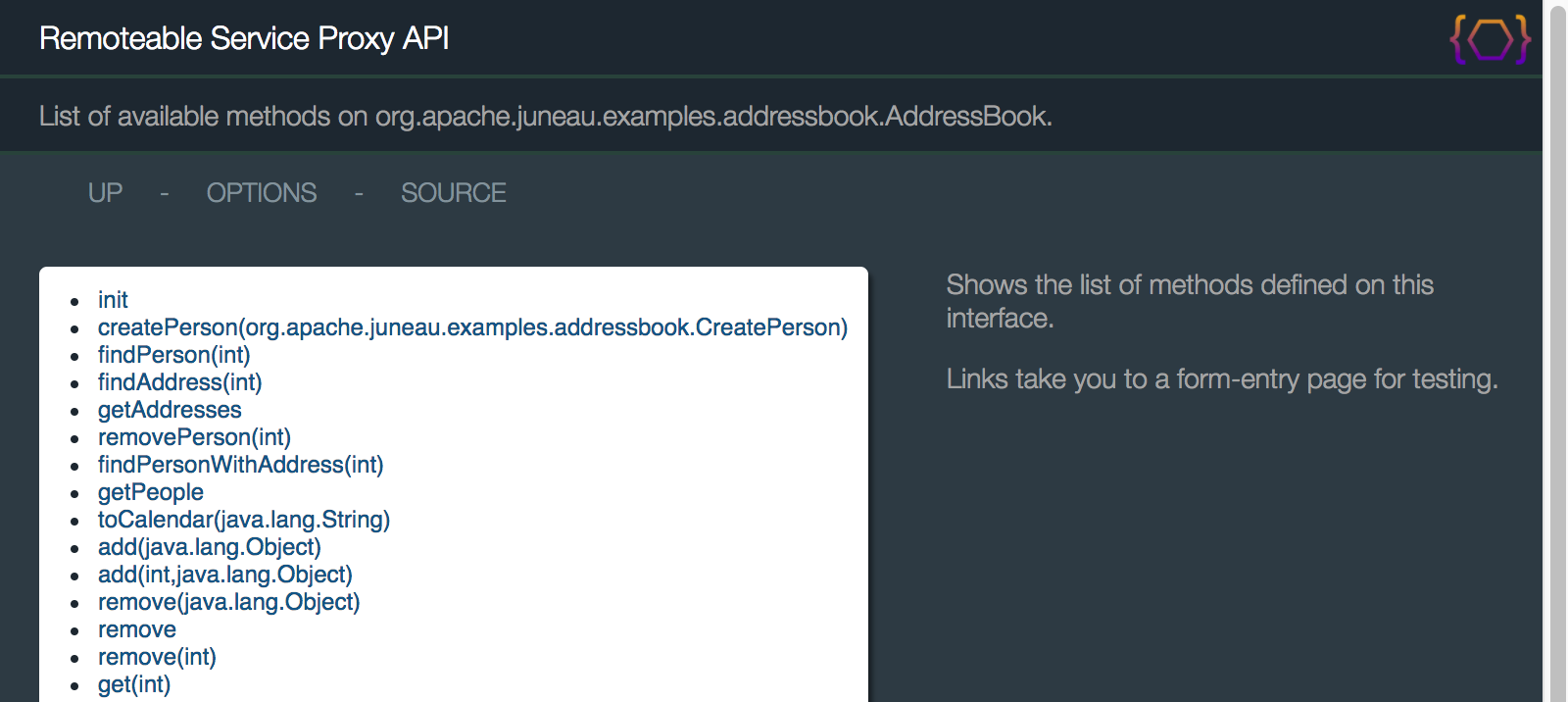
http://localhost:10000/remote/PetStore
Since this second entry maps the concrete PetStore class directly, every public method declared on PetStore — not
just the five on IPetStore — is listed and invocable, including getOrders(), createOrder(Order), getUsers(), and
the rest of the petstore service surface. This is why exposing a concrete class this way is dangerous in a real
application; prefer exposing a narrow interface like IPetStore instead.
Let's see how we can interact with this interface through nothing more than REST calls to get a better idea on how this works. We'll use the same method call as in the introduction. First, we need to create the serialized form of the arguments:
Object[] args = new Object[] {
    new Pet()
        .setName("Fluffy")
        .setSpecies(Species.CAT)
        .setPrice(200f)
        .setStatus(PetStatus.AVAILABLE)
};
String asJson = Json5Serializer.DEFAULT_READABLE.write(args);
System.err.println(asJson);
That produces the following JSON output:
[
    {
        name: 'Fluffy',
        species: 'CAT',
        price: 200.0,
        status: 'AVAILABLE'
    }
]
Note that in this example we're using JSON. However, various other content types can also be used such as XML, URL-Encoding, UON, or HTML. In practice however, JSON will preferred since it is often the most efficient. Next, we can use a tool such as Poster to make the REST call. Methods are invoked by POSTing the serialized object array to the URI of the interface method. In this case, we want to POST our JSON to the following URL:
http://localhost:10000/remote/IPetStore/createPet(org.apache.juneau.petstore.dto.Pet)
Make sure that we specify the Content-Type of the body as text/json.
We also want the results to be returned as JSON, so we set the Accept header to text/json as well.
When we execute the POST, we should see the following successful response whose body contains the returned Pet bean
serialized to JSON: From there, we could use the following code snippet to reconstruct the response object from JSON:
String response = "output from above";
Pet pet = JsonParser.DEFAULT.read(response, Pet.class);
RRPC methods are invoked with POST only. A browser link can't call them: GET .../getPets?method=POST is refused
with 405, because the router never lets an override turn a GET into a POST. Use a client that can send a
POST, for example curl:
curl -X POST -H 'Content-Type: text/json' -H 'Accept: text/json' -d '[]' http://localhost:10000/remote/IPetStore/getPets
curl -X POST -H 'Content-Type: text/json' -H 'Accept: text/json' -d '[3]' 'http://localhost:10000/remote/IPetStore/getPet(long)'
The body is the JSON array of method arguments. The hyperlinks on the method names above lead you to a simple form-entry page where you can test passing parameters in UON notation as URL-encoded form posts.